
Note:
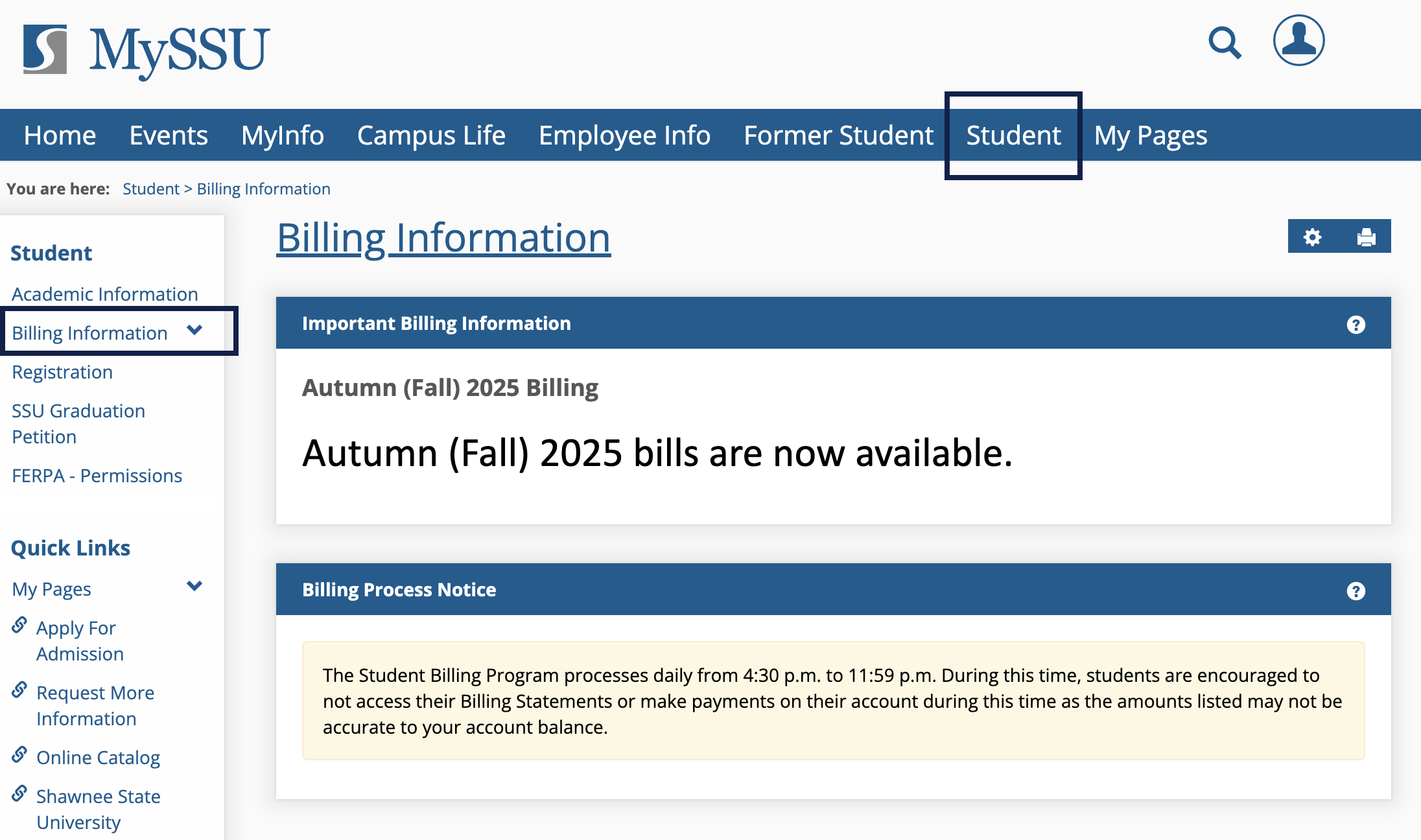
The Student Billing Program processes daily from 4:30 p.m. to 11:59 p.m. During this time, students are encouraged to not access their Billing Statements or make payments on their account during this time as the amounts listed may not be accurate to your account balance.
How to Pay Your Bill Online
New: Watch a video about Accessing, Understanding, and Paying your Bill
- Login to MySSU
- Click on the Student tab from the top headings
- On the left-hand side of the student toolbar select Billing Information
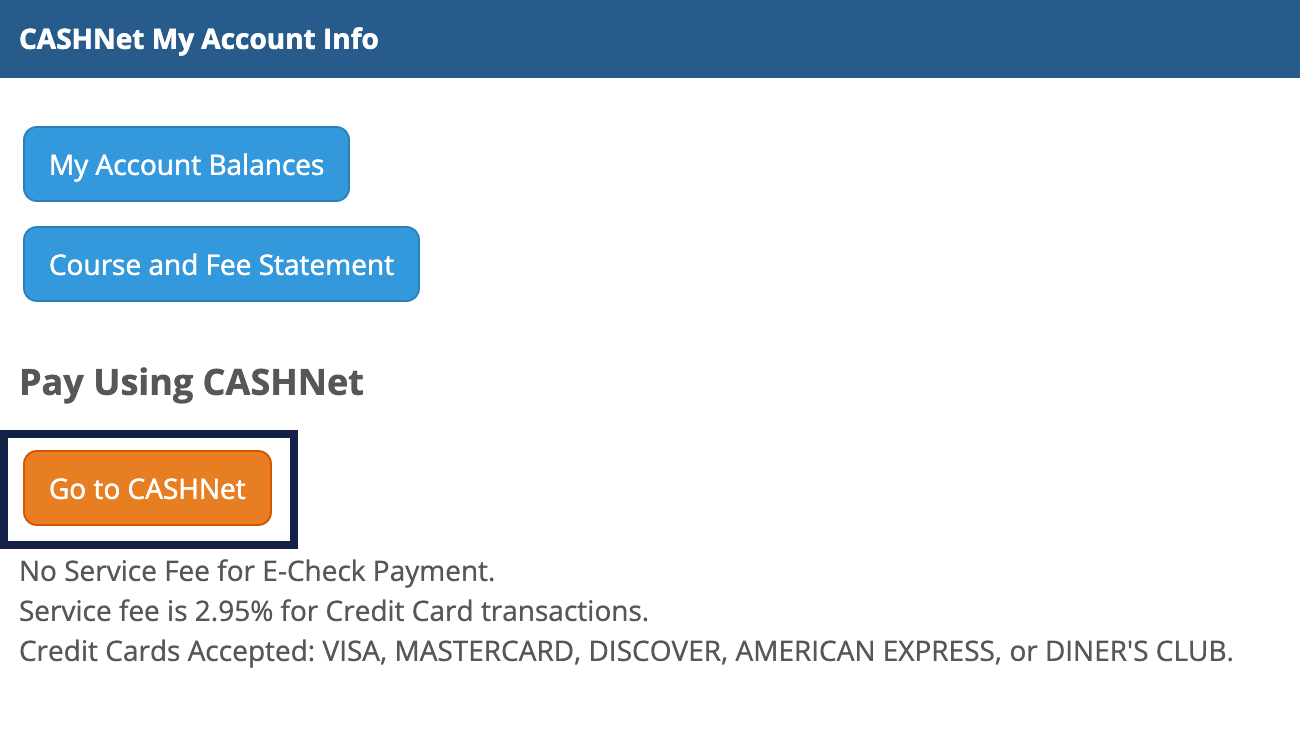
- Under CASHNet My Account Info select Go to CASHNet
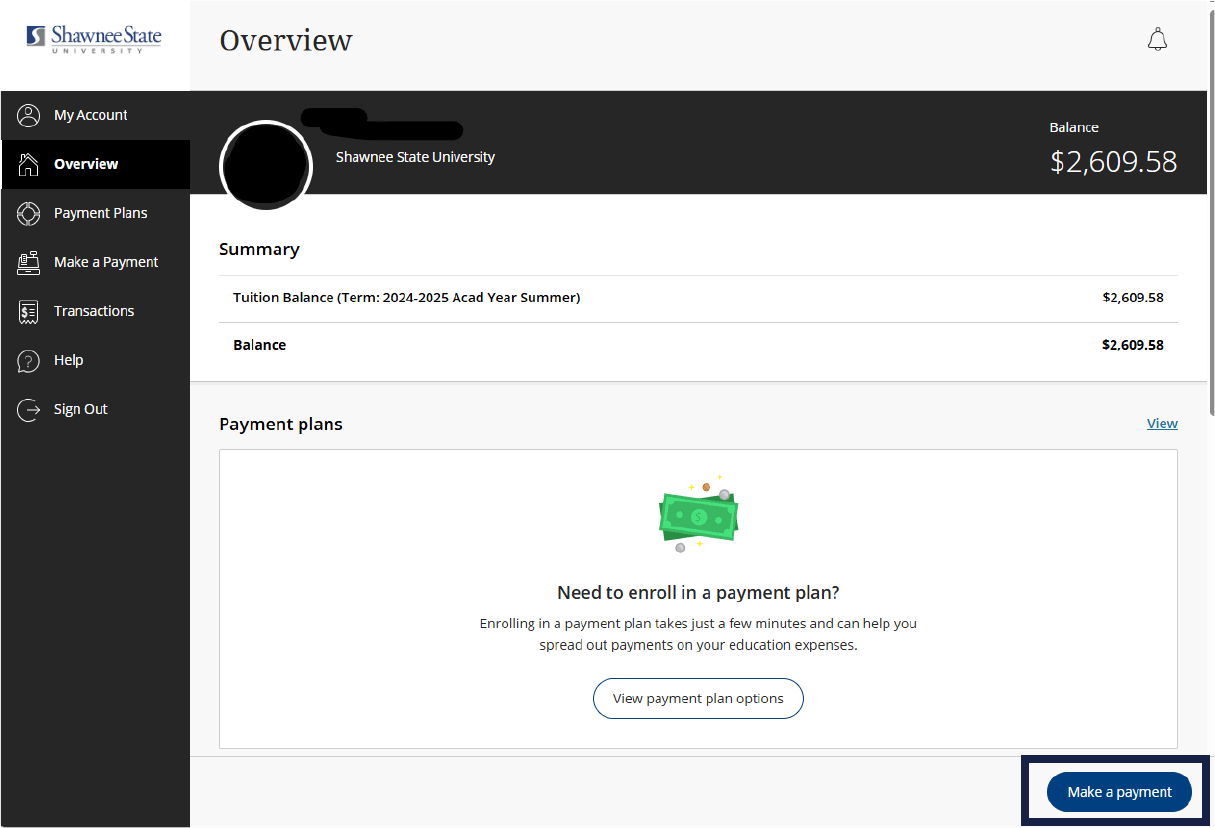
- Once on CashNet, you will be on your Overview screen
- Click Make A Payment
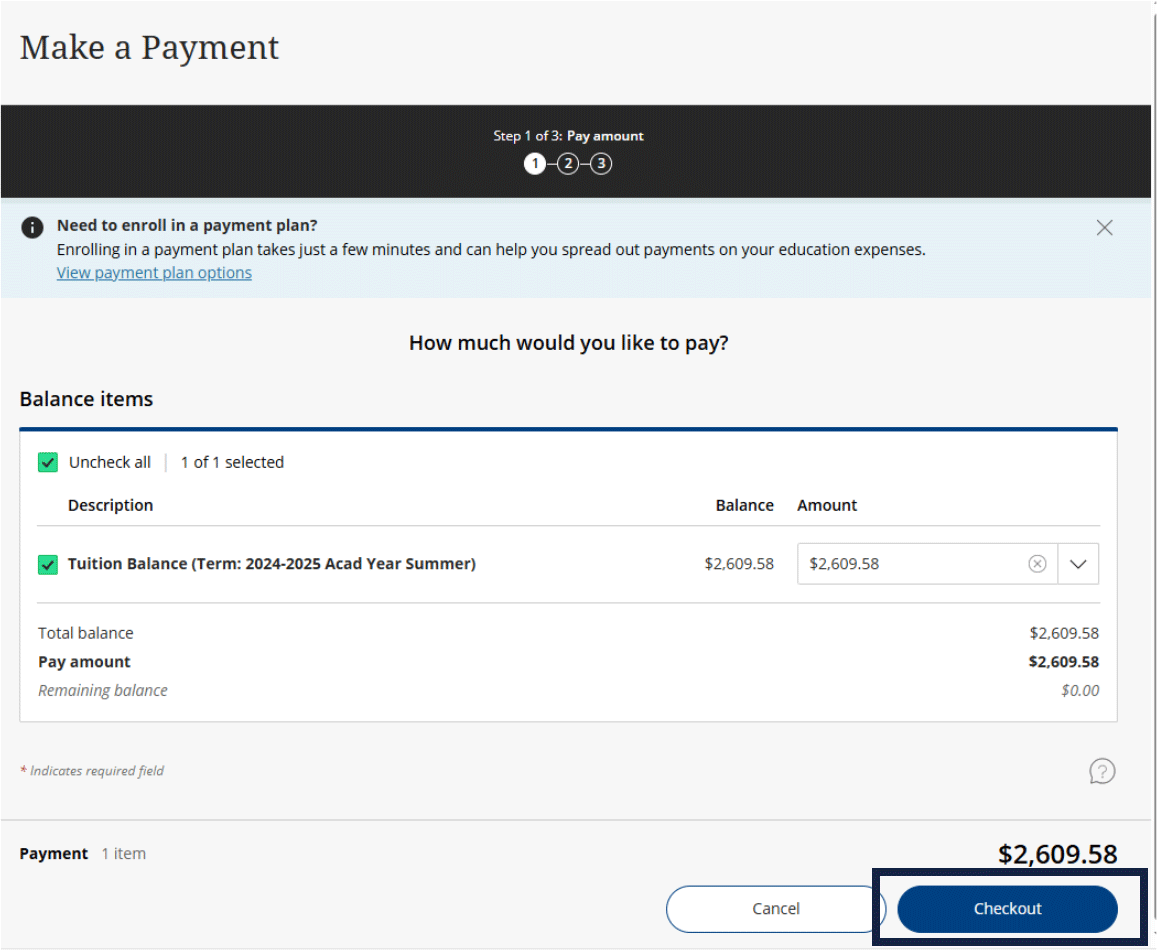
- Enter the amount that you are wanting to pay and then select Checkout
- Choose your Payment Method
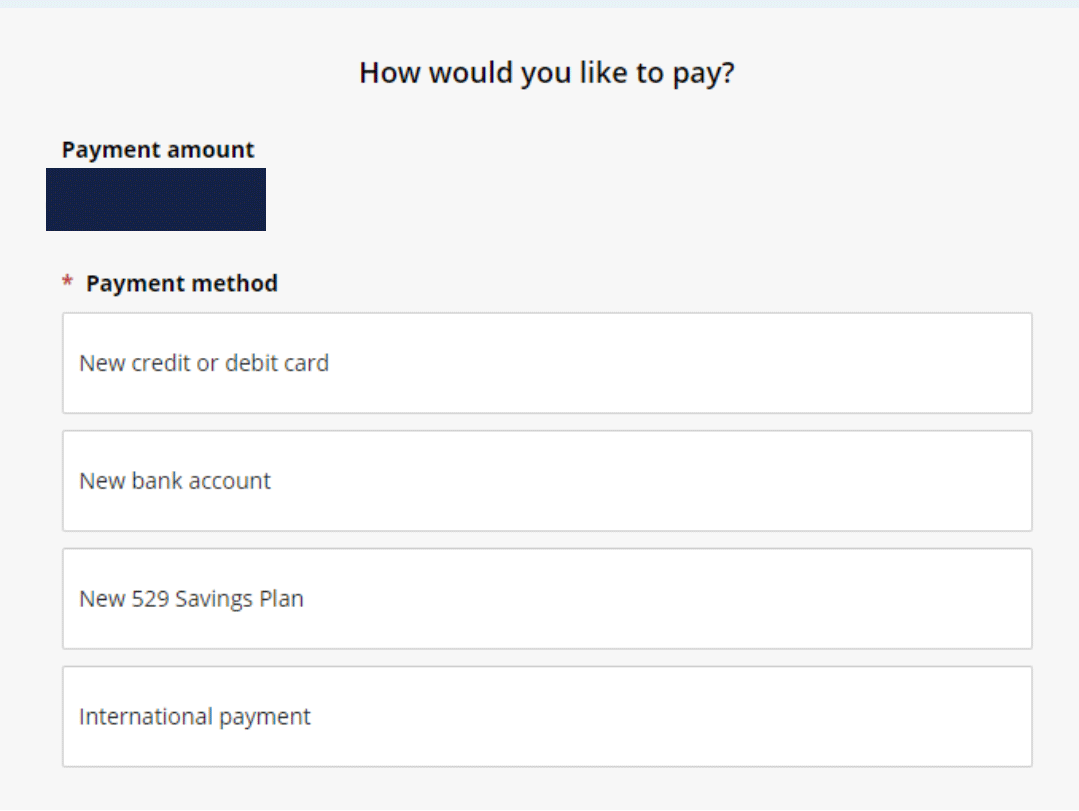
- Enter your information and finish the payment
New: Watch a video about Accessing, Understanding, and Paying your Bill