


- Login to MySSU
- Click on the Student tab
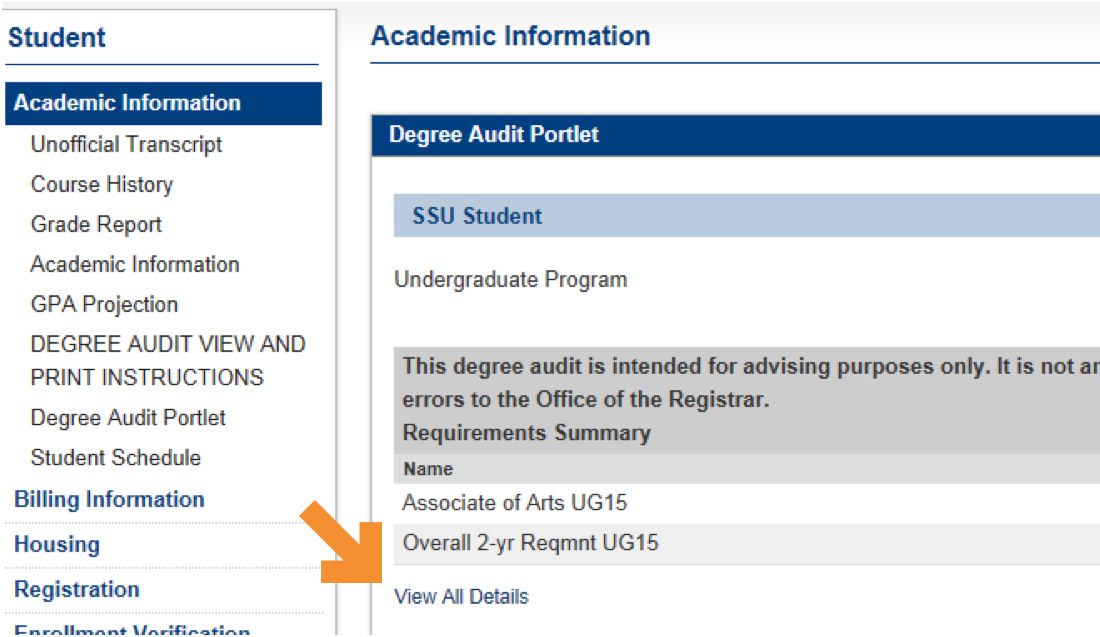
- On the left-hand side of the student toolbar select Academic Information
- On the left-hand side of the student toolbar select Degree Audit Portlet
- Select View All Details
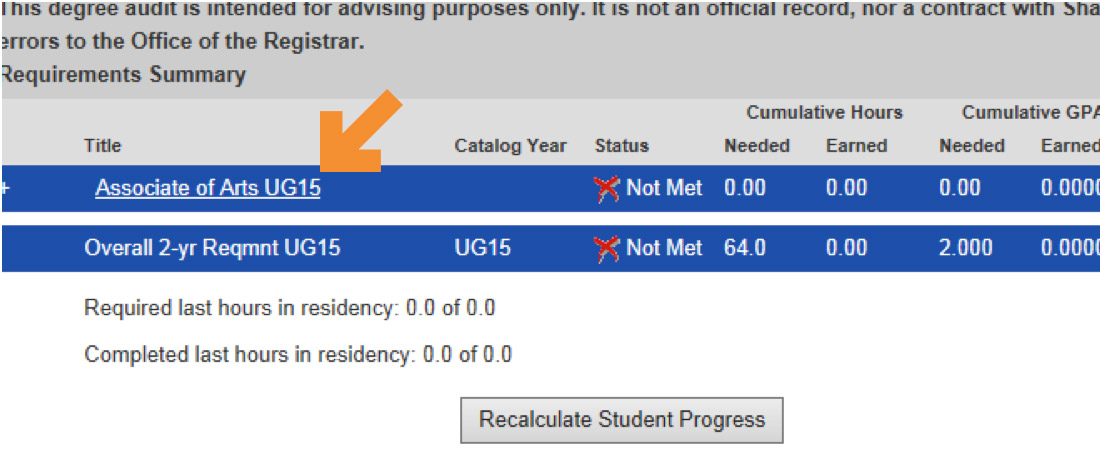
- Select an option from the Requirement list
- Select View My Degree Audit on the bottom left-hand corner of the portlet
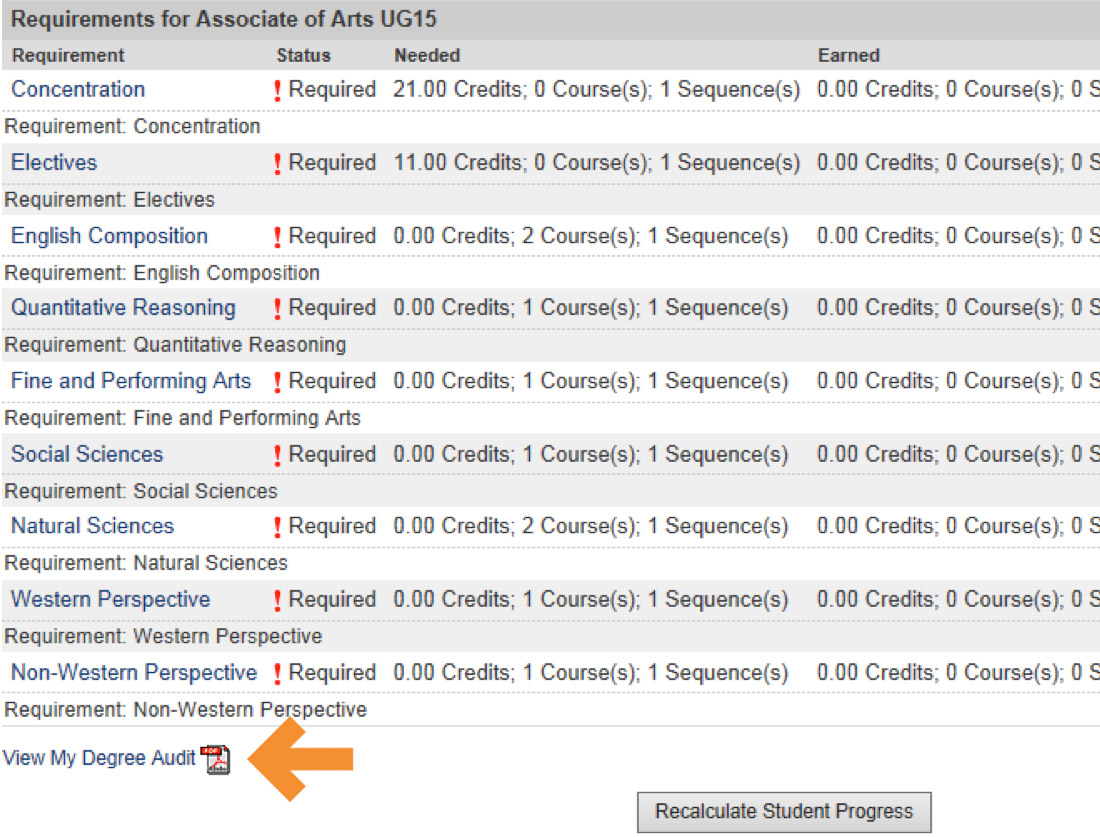
- Your Degree Audit will appear as a pdf for you to view and print